
[DATA TRACKING] On eSIMs' usage - Click here to track your data usage
How to track your data usage:
- Key in your Travel eSIM ICCID number & click submit.
(The number can be found under your eSIM QR code.)
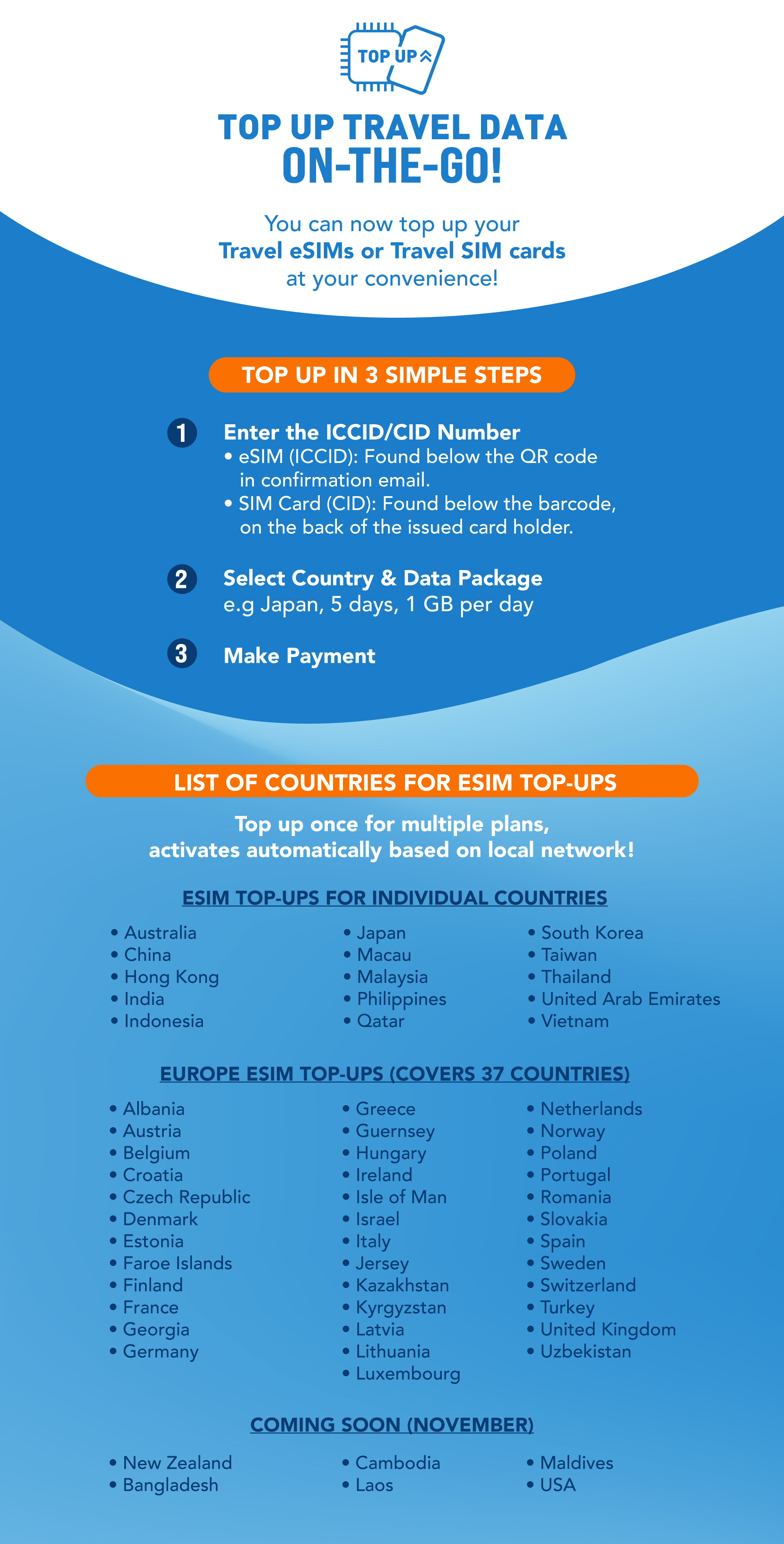
[Reloadable eSIM] Click here to top-up your Reloadable eSIM and stay connected wherever you go.
*IMPORTANT NOTE:
- The eSIM QR code can only be scanned once.
- The eSIM cannot be added back to your mobile device, once it is removed.
How to activate your Changi Travel eSIM
*Steps may differ from guides, depending on your mobile model.
General setup guide for Travel eSIMs
- Go to your mobile "Settings"
- Click on "SIM card Manager/Cellular"
- Click on "Add Mobile Plan / Add eSIM"
- Scan the QR Code from your device/computer or another device's screen.
- Upon arriving at your destination, please turn on 'Data Roaming' & turn off your local telco SIM (to avoid telco's roaming charges) - switch to Travel eSIM for data usage.